Artec Studio 18 lifetime licence
Производител: Artec3D
Предназначение:
Предимства:

Доставка на 24/10/26
за поръчки до 15:00
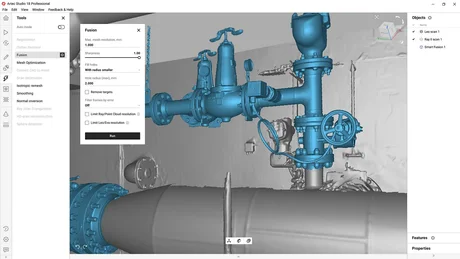
Artec Studio 18. The power is in the software.
Transform your 3D scanner with industry-acclaimed software for professional 3D scanning and data processing. Easy 3D scanning. High-precision results.
Automatic processing
Speed up your scan-to-mesh workflow with Autopilot. With a few simple questions, the software will select the most effective 3D algorithms for the data at hand.
Powered by AI
Easily capture hard-to-reach areas, sharp edges, and small and thin elements in high-resolution 3D with Artec Studio’s AI neural engine.
Easy to learn
Artec Studio is designed to be intuitive and easy to use and learn, so all your attention can be focused on your work.
Introducing multi-resolution fusion
Combine different resolution scans in a single step with Artec Studio Smart Fusion. Now, you can capture the bigger picture with long-range Ray II, fill in any gaps with the handheld Leo, then create a model using the highest resolution data from each.
One software. Multiple workflows
Scanning & processing
Capture any physical object with a 3D scanner, create an accurate and high-resolution 3D model.
Scan with Eva, Point, Spider II, or Micro II
Connect one of the scanners to Artec Studio and preview the scanning results directly on your computer in real time.
Or upload data from Leo or Ray II
Import the projects you scan with Leo and Ray II directly to Artec Studio for processing.
Automated or manual processing
Use automatic processing mode to quickly create a final 3D model, or build your own customized workflow and choose between a wide range of smart and powerful processing algorithms.
Essential workflows
Convert scan data to CAD for reverse engineering or inspection, or prep it for animation and CGI.
Inspect your model
Artec Studio comes equipped with tools for fast and precise measurements, easy mesh-to-CAD or mesh-to-mesh deviation analysis. Complete essential tasks in Artec Studio, or easily export for more complex inspection.
Reverse engineer your components
From boolean operations to complete automatic scan-to-CAD conversions, streamline your design and manufacturing workflows with the latest essential RE tools in Artec Studio.
Create photorealistic 3D models with photo texturing & AI
Combine geometry data from your Artec scanner with texture data from an external camera or smartphone for extra realistic, texture-perfect 3D assets. With the power of AI, Artec Studio also sharpens textures, boosts resolution, and makes colors pop on your behalf.
Integrations
Export your data to any industry-leading reverse engineering, inspection, or 3D modeling software.
SOLIDWORKS
Directly export mesh or CAD entities, including any 2D sections, for in-depth reverse engineering, rapid prototyping, and CAD design in SOLIDWORKS.
Geomagic Design X
For more complex objects, send the mesh directly into Design X for advanced reverse engineering with just one click.
Geomagic Control X
Directly export your scan data into Control X for CAD data alignment, to reveal deviations, and for advanced quality measurement processes.
3D scan black, shiny, or fine areas
- Artec Studio analyzes the surface of your object and automatically adjusts the sensitivity of your scanner to pick up areas that are tricky for 3D scanning. As a result, even new users can digitize black, shiny objects, or hair with ease.


HD Mode
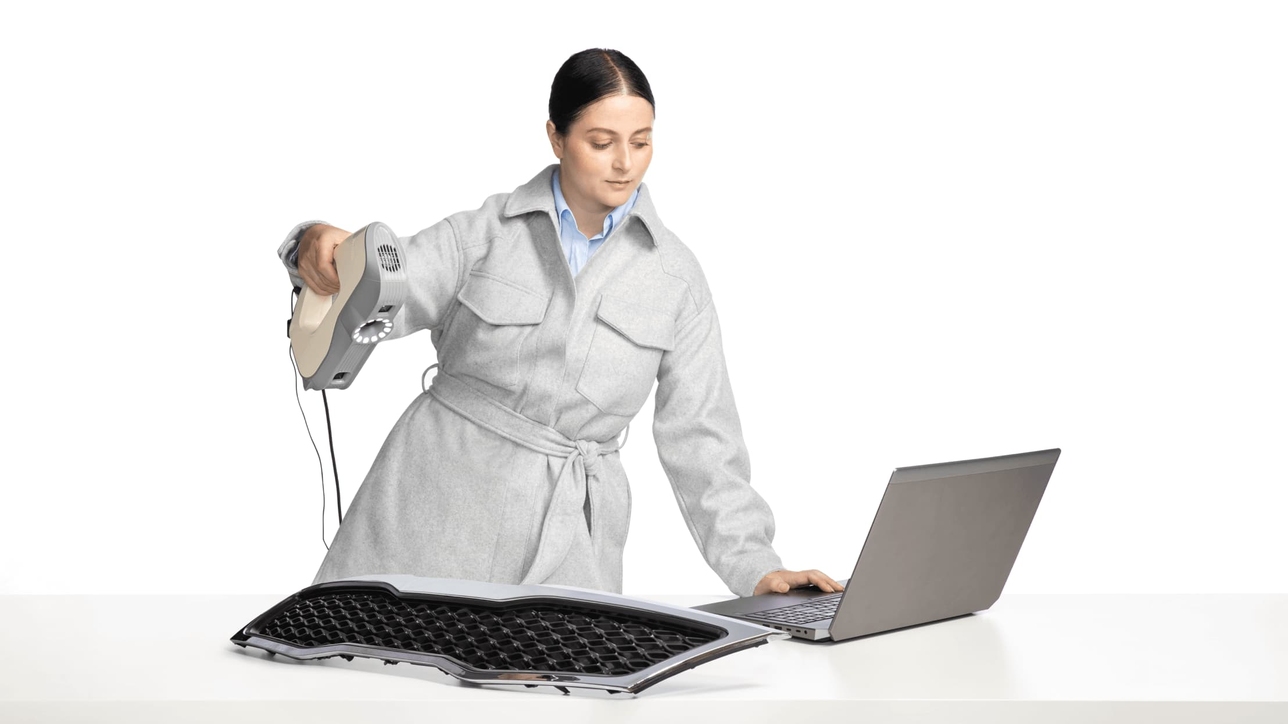
- If you’re after the highest quality, we’ve got good news: Artec Studio operates in High-Definition Mode. Step up your scanning with Artec Leo and Eva to capture high-resolution HD data for ultra-sharp, clean, and detail-rich scans.


Scan-to-CAD for reverse engineering
The right features can make scan-to-CAD for reverse engineering a breeze, and that’s exactly what you’ll get with Artec Studio. Expect CAD-editing tools for hybrid reverse engineering, high-speed alignment, boolean operations, automatic scan-to-CAD conversion, and advanced plane functionality for quick and excellent results. Export your scans and CAD objects to SOLIDWORKS in just one click.

Advanced scan-to-CAD tools
Speed up your workflow and save effort by performing reverse engineering operations right in Artec Studio. Modify your mesh through boolean operations, or automatically convert free-form meshes into solid CAD models in one click.

Integration with SOLIDWORKS
With such an easy shift to SOLIDWORKS, your process is more streamlined than ever. In Artec Studio, you're never more than one click away from export to SOLIDWORKS.

Advanced quality inspection. Streamlined.
When it comes to quality inspection, Artec Studio offers the tools you need for streamlining your pre-production, inline, and final inspection workflows: precise measurements, fast, accurate mesh-to-CAD alignment, and mesh-to-mesh or mesh-to-CAD deviation maps.

Mesh-to-CAD comparison
For a faster, more streamlined workflow, import STEP, IGES, or X_T CAD files and align your scan mesh to a CAD model without having to leave Artec Studio.

Control X integration
Create customized reports with Artec Studio by selecting the object or objects you need to inspect while Control X runs in the background. The reports most essential to your work will be generated for you.

Picture-perfect CGI with photogrammetry + scan data
Create accurate, high-res, and picture-perfect 3D models ready for use in CGI, VR/AR, and animation. In Artec Studio, you can now combine your scan data and photogrammetry all in one place for both best-quality texture and highly accurate geometry.
Color and geometry
Get the best quality mesh with the inclusion of full-color 3D scan data. With the combination of 3D scan data and photogrammetry, your 3D models will be as photorealistic and true-to-form as possible.

БЪРЗА ДОСТАВКА

ПРОФЕСИОНАЛНА КОНСУЛТАЦИЯ
+359 876 889 889

ГАРАНТИРАНО КАЧЕСТВО
над 10 години опит
Помощ и въпроси на support@b2n.bg
Artec Studio 18 lifetime licence
3600.00 €